AERIS by PIXORA

🪙 — CREDITS
AERIS Intelligence Active V3.5 0 LOCKED Local mode
ACTIVE PROJECTNo active project
EVENT BRAINAERIS READY
APPROVED0 ASSETS
LOCKED0 ASSETS
TECH SPECSPARTIAL
PROJECT HEALTH--%
LIVING PITCHNOT CREATED
Welcome back, Siddhesh

Design the stage.

One idea in. A master visual, an LED map for your exact rig, and show-ready loops out.

ANY SCREEN SIZENATIVE RES PER PANELSEAMLESS LOOPS

Start from a look

Pick a look, change the brief, and it becomes yours.

Pick up where you left off

All projects →
AERIS CREATIVE DIRECTOR

One brief.
A complete event world.

AERIS converts an event requirement into an outcome-led operating blueprint, creative world, attendee journey, stage and experience system, production plan and a designed client-ready pitch deck.

CENTRAL STATE · CHECKING
AERISby PIXORA · EVENT WORLD OSLIVE
01BRIEFINTELLIGENCE
02THEMEDNA
03EXPERIENCEJOURNEY
04VISUALSGENERATIVE
05PRODUCTIONBUILDABLE
CREATIVE SYSTEM ONLINE
PROJECTS

Recent Workspaces

HSBCAnnual Awards 2026
HSBC Annual AwardsMumbai · Awards
Concept
MANTHANLeadership Experience
ManthanBrand Experience
Draft
+
Create New EventStart from a raw client brief.
STEP 01

Event Brief Intelligence

Give AERIS the rough requirement. It will turn it into a structured creative and production brief.

CLIENT SOURCE PACK

Upload Raw Brief & Event Information

Drop client briefs, event requirements, RFPs, venue notes or reference decks. AERIS extracts and understands the source first so you can continue immediately; research and CH Vault intelligence then finish in the background.

DOCX · PPTX · PDF · DOC · PPT
SOURCE FILES0
TEXT EXTRACTED—
AERIS fills only information it can support from the uploaded material. Unknown fields remain unchanged.
No client source files uploaded yet.
Source intelligence ready

Upload the client pack, then analyse it before building the complete event direction.

TALK TO AERISCreative instructions after the briefType or speak what you want AERIS to prioritise. These instructions stay attached to the project and influence downstream Directors.
ADVANCED COMMAND LAYER
No additional creative instructions yet.
AERIS is listening

Client facts remain authoritative; your instructions guide taste, priorities and creative interpretation.

CLIENT INPUT

Project Essentials

Editable
DIRECTOR INTELLIGENCE

Creative Interpretation

AERIS Event Brain
RECOMMENDED NEXT ACTION Build the event direction to generate themes, scope and experience recommendations.
EVENT INDUSTRY INTELLIGENCE

Event Operating Blueprint

Before AERIS designs the event, it maps why people attend, what the client needs to achieve, the complete attendee journey, operating requirements, safety/accessibility, measurement and which Directors are actually relevant.

NOT BUILT
Build the event blueprint from the current brief. It will automatically guide Creative, Experience, Stage, Venue, Show, Production, Commercial and Pitch Directors.
TECHNICAL CONTROL

Production Dimensions & Screen Geometry

These constraints are injected into feasibility checks and image prompts.

Production-aware
Feasibility not checked

Enter available dimensions and run a production audit before generating high-value stage or spatial visuals.

PROJECT MEMORY

Client & Brand Library

Save client-specific brand rules once and reuse them across event concepts, stages, activities and visual prompts.

SAVED CLIENTS

Brand Profiles

0 saved
BRAND DNA

Create Brand Profile

Reusable
BRAND ASSET VAULT

Guidelines, Logos & Identity References

Store client brand material with the profile. Readable documents become AERIS brand context; visual identity assets can become generation references.

0 assets
No brand assets uploaded for this profile yet.
Brand intelligence ready

Upload brand guidelines and logos. AERIS can extract personality, identity rules, restrictions and brand mandatories.

PROJECT DATABASE

Saved Event Projects

STEP 02

Theme Director

Ownable theme routes with story, logo direction and a locked event visual DNA.

STEP 03

Event Scope Director

Automatically identifies the complete set of event touchpoints so important experience layers are not missed.

0 recommended deliverables
STEP 04

Event Experience Director

Design the guest journey and match activities to audience, theme, budget and technology appetite.

SPATIAL JOURNEY MAP

Experience Canvas

CLICK A PHASE TO INSPECT

Recommended Activities

0 selected
RESEARCH-FIRST ACTIVATION ENGINE

Campaign / PR Experience Director

For film, entertainment, launch, retail, PR and fan-experience briefs: research the property first, then curate practical, quirky, shareable ideas around the full guest journey.

Research not started
CAMPAIGN INPUT

Research Brief

Web-grounded
OFFICIAL PROPERTYLORE / BRAND TRUTHSFANDOM & SOCIALPAST ACTIVATIONSANALOGOUS EXPERIENCESVENUE REALITY
Research first

AERIS will use live web search before generating any activation idea.

RESEARCH VAULT

What the project world is telling us

0 sources
Run research to build the project truth, audience patterns, previous activation references and creative whitespace.
SOURCES

Live Research References

EXPERIENCE CURATION

Journey-led Ideas

Simple mechanisms, strong story, safe theatrical surprise and digital amplification — not expensive tech for the sake of it.

Research the project first. Ideas will be generated only after the research layer is ready.
STEP 05

Stage & Space Director

Stage concepts follow the selected event visual DNA while respecting presenter safety and screen logic.

SELECT A THEME
STEP 06

Visual Director + Prompt Lab

Every visual uses the same locked theme DNA. Generate production-ready prompt directions for each event touchpoint.

AERIS CAPABILITIES

Visual Capability Library

Show what AERIS can create inside the event pitch and move any capability directly into the Visual Generator.

SELECTED CATEGORY

Stage & Event Visuals

0 visual directions
PROJECT REFERENCES

Uploaded Visuals

Use approved PIXORA work, client references or moodboards as project memory.

AERIS VISUAL ENGINE

Visual Generation Chamber

Reference-aware rendering with locked upstream DNA, production constraints and versioned variations.

0 saved visuals
INHERITANCETheme DNA active
GENERATION BRIEF

Visual Setup

Theme-aware
REFERENCE TRAYUse generated or your own reference imagesDrop images here, upload from your computer, or reuse a generated project asset. Every reference can be removed before generation.
No reference selected
Generation mode

AERIS V3.7 uses the Central OpenAI real-image pipeline only. Every production visual must return a verified image binary, persist to the current project, and remain available to the pitch/PPT pipeline.

PREVIEW

No visual generated yet

16:9
Build a prompt and generate a concept render.
DRAFT
V3.4 · CREATIVE CONTROL

Direct this visual. Don't restart the workflow.

Open a generated visual to begin.

READY
Text or voice · targeted refinement
PRESERVE
NON-DESTRUCTIVE

The original remains saved. AERIS creates a new version and preserves every locked property.

PROJECT ASSETS

Generated Visuals

Current project visuals
AERIS LOCKED LED FAMILY ENGINE

LED Homelook Director

Center first. Every screen generated separately. Supporting screens inherit Center DNA with a front/centre camera lock. Borders are a separate foreground pass over untouched visuals.

V2.2.0 · CENTER-FIRST / NO-DISTORT
LOCKED LED MAPPING FRAMEWORKAERIS will not break these rules
ENGINE LOCK
01CENTER FIRSTCenter is recomposed first for its exact mapped canvas and becomes the visual-family authority.
02SEPARATE PANEL RENDERSEvery supporting screen is freshly generated at its own ratio — never cropped or stretched from Center.
03FRONT / CENTRE CAMERA LOCKSupporting panels never tilt, yaw, pitch, roll or use side-camera perspectives. Variation comes from composition, not camera angle.
04BORDER AFTER VISUALClean visuals finish first. Border-only PNGs are generated separately and composited on top.
05NO DISTORTIONAspect mismatch fails. No cover crop, stretch, warp, squeeze, reprojection or perspective transform.

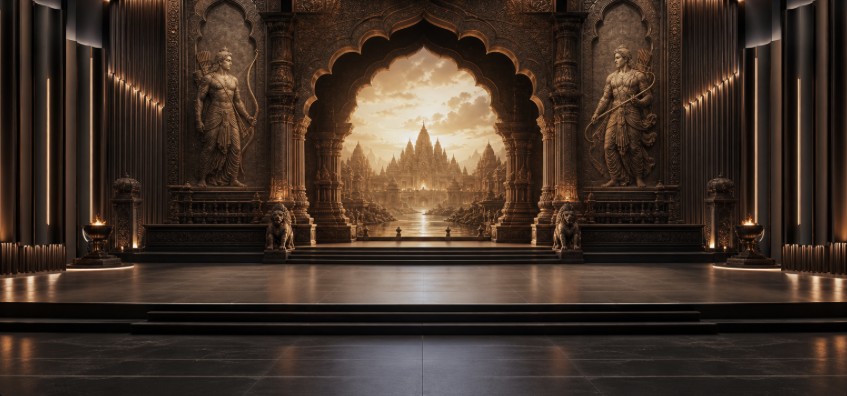
Ramayan Styled Theme Visual

Home look
STEP 01 · 16:9 MASTER

Generate Master Homelook

Start with a normal 16:9 concept. AERIS automatically applies its Homelook rules; panel dimensions are intentionally not part of this prompt.

16:9 MASTER
🛡️Pure Scenic Backdrop Rule Active: Strictly zero baked-in logos, typography, or text. Canvas is 100% clean and presentation-safe for live stage playback.
2
Tip: name materials, light and mood for richer results.
Step 1 — Master Homelook

Generate normal 16:9 visual directions first, then choose one as Master.

Your generated 16:9 Master variations will appear here.
Saved · 3 versions
Subtle cinematic loop (9s)
Left wing Left · 1344×1344
Center master Center · 2496×1344
Right wing Right · 1344×1344
00:04.2
00:08.0

Export & Playback Bundles

Synchronized loops ready for Resolume Arena, Disguise, or Watchout playback.

Download Stage Package (ZIP)
CREATIVE QA LAYER

Creative Intelligence & Quality Control

Challenge the work before it reaches the client: source grounding, brand compliance, route scoring and visual consistency.

QA READY
CREATIVE CONTROL

Divergence & Reality

Exploratory · 60

Exploratory routes with strong brand fit and credible pitch-level production logic.

AERIS OPERATIONS

Project Usage

LIVE
TEXT CALLS0
IMAGE CALLS0
TOKENS0
TEXT API EST.$0.00

Text cost is an estimate from recorded token usage. Image calls are counted separately because cost varies by size/quality.

SOURCE GROUNDING

Client Truth Audit

Checks generated strategy against uploaded client briefs and brand documents. Source references should point to real filenames, slides or pages.

Run after generating the event direction.
BRAND COMPLIANCE

Visual Brand Check

Select a visual to check it against the saved brand profile and uploaded brand rules.
ROUTE DECISION

Compare Theme Routes

Scores originality, brand fit, visual potential, production feasibility, budget fit and client risk.

Generate theme routes first, then compare them.
VISUAL CONSISTENCY

Master KV Alignment

Compares derived Stage, Entrance, Home Look, Trophy and other visuals against the approved Master KV.

Approve a Master KV and create derived visuals first.
VISUAL LINEAGE

Asset Family & Precision Revision

See how every asset inherits from the approved direction, then revise only the part that needs to change.

0 ASSETS
FAMILY TREE

Visual DNA Lineage

MASTER KV → DERIVATIVES
Generate assets to build the lineage tree.
PRECISION REVISION

Annotate & Change Only This Area

MASKED EDIT
Selected visual
Select an image, then drag a rectangle over the area to revise.
NO AREA SELECTED

The transparent mask guides the image model to the selected region. Keep the instruction specific and explicitly preserve everything outside it.

Precision revision ready

Select a generated JPEG/PNG and mark the area you want to change.

LINEAGE INSPECTOR

Selected Asset

Select an asset in the lineage tree.
PRODUCTION DIRECTOR

Creative → Production Handoff

Turn approved concepts into practical BOQ direction, content lists, technical needs, dependencies and risks.

APPROVED ASSETS0
LOCKED ASSETS0
TECH SPECSPartial
PRODUCTION STATUSNot generated
Generate a production plan after locking the selected theme, Master KV and stage direction.
MOTION DIRECTOR

Storyboard & Animation Mode

Turn locked visuals into controlled motion plans and model-ready prompts.

LOCK FRAME PRESET

No zoom · no pan/tilt · no parallax · no perspective shift · no geometry warping · no object deformation unless explicitly unlocked.

Select a generated visual and create a motion plan.
PROJECT MEMORY

Versions, Approvals & Locks

Track what was approved, rejected or revised so AERIS does not overwrite client decisions.

CLIENT MODE

Approval & Feedback Link

Create a simplified local review view with approved/shortlisted visuals. Internal prompts, API settings and costing stay hidden.

CLIENT FEEDBACK

Review Responses

EVENT VISUAL DNA

Design System & Moodboard Director

Turn the approved theme and Master KV into a reusable visual system for every event touchpoint.

SYSTEM STATUS

Approved Visual Language

Not generated
Lock a theme / Master KV, then generate the event design system.
MOODBOARD

Reference Directions

Generate the design system to create material, lighting, architecture and motion reference directions.
INSTITUTIONAL MEMORY

AERIS Knowledge Library

Search uploaded client material, brand assets, generated visuals and approved work as reusable project intelligence.

HOST · INSTITUTIONAL PRESENTATION MEMORY

Pitch Intelligence Library

The central presentation brain for AERIS. Add your strongest pitch decks here; every PPTX generated by AERIS is also archived automatically so successful design patterns become reusable presentation intelligence.

MASTER DECKS0Host uploads + AERIS exports
LEARNING READY0Design grammars available to Pitch Director
AERIS GENERATED0Automatically captured
HOST REFERENCES0High-authority presentation references
ADD MASTER PITCH DECKS

Teach AERIS Your Presentation Standard

HOST ONLY

Upload strong PIXORA / approved presentation examples. AERIS learns layout rhythm, hierarchy, spacing, typography behaviour, image ownership and presentation devices — never cross-client facts or confidential copy.

Institutional presentation memory

Host-uploaded decks carry the highest style-learning authority. High-QA AERIS exports reinforce successful patterns automatically.

LEARNING POLICY

How AERIS Uses This Library

01 · Host Authority

Decks you add manually are treated as the strongest presentation-design references.

02 · Automatic Capture

Every PPTX exported by any AERIS user is stored centrally with its design system and QA score.

03 · Quality Weighting

Strong, client-ready decks reinforce patterns more than weak/draft decks.

04 · Style, Not Secrets

Cross-project learning uses composition grammar only — never client facts, logos, prices or confidential wording.

CENTRAL MASTER LIBRARY

Presentation Memory

0 decks
No master pitch decks stored yet.
CURRENT PROJECT

Project-Specific Reference Decks

Use these when the current pitch needs a specific look-and-feel reference in addition to AERIS institutional knowledge.

No project reference decks uploaded.
PROJECT PRESENTATION REFERENCE

Pitch References

Upload PPT/PPTX decks that should influence the presentation you are building right now. AERIS combines these project references with the presentation knowledge already maintained centrally by the host.

INSTITUTIONAL KNOWLEDGELoading…

Central host presentation memory is automatically included as design intelligence. Team users cannot browse confidential master decks.

CURRENT PROJECTActive project

References uploaded here are scoped only to this project and do not become global institutional memory.

UPLOAD REFERENCE PPT

Give This Pitch a Visual Reference Point

PROJECT ONLY
Reference ready

The next AERIS Presentation OS run will automatically use these references plus host presentation intelligence.

REFERENCE PRIORITY

How the Next Pitch Is Directed

1 · Your PPT Creative Direction

Your explicit instruction remains the strongest direction for the current deck.

2 · Current Project References

Decks uploaded here become direct look-and-feel evidence for this pitch.

3 · Host Presentation Intelligence

AERIS applies the best reusable patterns learned from the central Pitch Intelligence Library.

4 · Brief & Brand Truth

References can influence design, but can never override client facts or approved brand rules.

CURRENT PROJECT REFERENCES

Uploaded Decks

0 references
No project reference decks yet.
HISTORICAL PITCH INTELLIGENCE

CH Vault / ConceptVault

Connect AERIS to the authenticated ConceptVault library at vault.techxp.tech. AERIS stores the browser session, never your Vault password, and indexes historical pitch metadata as institutional memory.

CONNECTIONNot connectedLog in once through the secure browser window.
INDEXED FILES0Presentations, documents and reference assets
LAST SYNC—Local searchable metadata index
PROJECT REFERENCES0Selected for current project intelligence
DEEP VISUAL MEMORY0Rendered slide references learned for this project
SEARCH CONCEPTVAULT

Historical Project Search

V3.4.1 · DEEP VISUAL REFERENCE ≠ COPYWhen a PowerPoint is selected, AERIS downloads it, renders its relevant slides, visually analyses stage/KV/entrance/photo-op/activation/branding/presentation language, and converts that into project-scoped Visual DNA. Historical client facts, logos, wording and literal designs are never treated as current-project truth.
Connect and sync ConceptVault, then search the historical pitch library.
CURRENT PROJECT MEMORY

Selected Vault References

No historical references selected. AERIS can also auto-match references from the current brief.
Security: credentials are entered only on the real ConceptVault login page. AERIS stores browser session state in your local AERIS configuration; passwords are never written into the project ZIP or localStorage.
PROJECT INTELLIGENCE

Project Brain & Truth File

Search the complete project memory, separate client facts from AERIS interpretation, detect contradictions and monitor project health.

PROJECT CONSTELLATION

Active Event World

Navigate the project by creative dependency rather than file structure.

AERISEVENT WORLDLIVE
PROJECT HEALTH--Run health check
UNIFIED PROJECT BRAIN

Research Once. Every Director Knows It.

Brief truth, live web research, CH Vault deep references, AERIS skill intelligence and event logic are compiled once and shared with every tab.

Not built
Upload a brief. AERIS will automatically build project intelligence after source analysis.
SEARCH MEMORY

RAG Project Search

Not indexed
Rebuild Project Brain, then search across uploaded briefs, brand files, living pitches and project outcomes.
PROJECT TRUTH

Facts vs Interpretation vs Proposal

Build the Project Truth File to separate source-backed facts from creative interpretation.
PROJECT OPERATIONS

Asset Manager & Content Production Tracker

Manage generated visuals, client source files and show-content deliverables in one project-wide operational view.

PROJECT FILES0
GENERATED VISUALS0
CONTENT ITEMS0
FINAL / DONE0
DIGITAL ASSET MANAGER

Project Assets

CONTENT PRODUCTION

Editable Tracker

Generate a Content Matrix, then sync it into the production tracker.
VENUE INTELLIGENCE

Venue Digital Twin + Spatial Intelligence

Upload a plan, map functional zones, add known measurements and challenge circulation, capacity, sightlines and technical access.

Upload a floor plan / venue image, then click on the plan to place zones.
Click to place. Drag markers to reposition. Zone positions are stored with the current browser/project workspace.
SPATIAL AUDIT

Guest Flow & Adjacency

Place zones and run Venue Strategy.
SHOW CONTROL

Show Flow, Content & Show-Day Mode

Convert the approved event into a running show, production content list and live cue-control view.

CUE DIRECTOR

Running Order

0 cues
Generate the show flow after the event direction is approved.
CONTENT OPERATIONS

Content Matrix

0 files
Generate the content matrix to identify every LED, awards, opener, transition and show file required.
BUSINESS INTELLIGENCE

Commercial, Resources & Timeline

Connect the creative scope to vendor assumptions, PIXORA opportunity, internal resources and the critical path.

RATE MEMORY

Vendor / Internal Rate Library

COMMERCIAL READ

Opportunity & Risk

Generate a commercial read from the approved scope.
DELIVERY PLAN

Resource Loading & Critical Path

Generate the resource and timeline plan.
AERIS INSTITUTIONAL LEARNING

Project Outcomes & Learning Memory

Capture what clients approved, what failed, what actually got produced and what AERIS should remember for future projects.

AERIS LEARNING

Reusable Principles

Save an outcome and run AERIS analysis to convert project experience into reusable AERIS learning.
PAST OUTCOMES

Learning Library

LIVING CLIENT DECK · ORCHESTRATED

Pitch Studio

The final Pitch Director reads every active workspace, preserves approvals, builds the story, maps available visuals, checks deck quality and exports one client-ready presentation.

V4.0.4 · AERIS-NATIVE EXPERIENCE · R34.4

One creative operating system — every client, every pitch.

Brief → PIXORA interpretation → brand research → creative locks → Visual DNA → contextual deck strategy → narrative compression → adaptive composition → semantic visual QA → rendered Creative QA.

GOLDEN STANDARD—Target ≥ 85
Cost telemetry will appear after the first AERIS call.
PIXORA CREATIVE DEVELOPMENT · APPROVAL GATES

Build the creative world before building the deck.

AERIS will not treat the Master KV as wallpaper. Once selected, its visual DNA is translated differently into stage, entrance, registration, photo-op, branding, motion and presentation slides.

NOT STARTED
Waiting for the client brief.
Start Creative Development to research the brand and create three theme/IP routes.
R34 · AERIS PRESENTATION OS

Art-direct with AERIS — without turning one deck into a template.

AERIS diagnoses the deck type, compresses the story, chooses slide jobs and canvas compositions, generates visuals for those compositions, then judges the rendered result.

PPT DIRECTOR
ReadyBuild the full pitch with one accountable Master Creative Director.
The engine will preserve all existing Voice, Wake, LED Mapping and Border Aperture rules while orchestrating the complete event pitch.
AERIS PITCH DIRECTOR · FINAL ORCHESTRATION

Director Sync Matrix

Every workspace feeds one source-of-truth pitch. See what is ready, what is missing, then build the complete narrative from the latest approved project state.

DECK READINESS 0% Waiting for project intelligence
VISUAL COVERAGE0%Build the pitch first
HERO / HIGH GAPS0Slides that still need a real project visual
EVENT BLUEPRINT—Not checked
Build the complete pitch to create the narrative arc, client takeaway, visual plan and final deck structure.
PITCHNo living pitch
SLIDES0
APPROVED0
LOCKED0
NEEDS UPDATE0
SLIDE 00

Select a slide

Create or sync a pitch to start editing.
AERIS ART DIRECTOR

Slide Layout Intelligence

1 / 1
CONNECTION SETTINGS

OpenAI Image Generation

Save your OpenAI API key locally, run a fast key/model check, then generate real AERIS concept visuals.

Checking...
PRIMARY PROVIDER

OpenAI Image API

Recommended

The key is stored only in this local AERIS application folder under data/secrets.json and is never returned to the browser.

STATUSNot checked yet

Save the key, then run Quick Check OpenAI API. The quick check does not generate an image.

Quick Check validates the API key and confirms both the selected Event Director text model and gpt-image-2 image model are reachable. It does not generate an image.
ASTRA INTELLIGENCE CORE

Hybrid Creative Intelligence

LOADING

Astra now acts as AERIS's high-value Creative Director and orchestrator. Routine parsing, research and lightweight tasks stay on the Fast Model to control latency and cost. If Astra is temporarily unavailable, AERIS falls back automatically without discarding project state.

01Astra CoreChecking
02Fast LaneChecking
03Action RouterV2.6
ASTRA CORELoading intelligence router…

Checking the active model lanes.

Hybrid is recommended: Astra handles project understanding, core creative decisions, complex voice instructions, pitch orchestration and final critique; routine work stays on the Fast Model. Image generation remains gpt-image-2.
AERIS GENERATION MODE

Recommended Workflow

FAST DRAFTLow quality · Real image

Use for stage routes, entrances, activities and fast ideation.

CONCEPT DESIGNMedium quality

Use after you shortlist a creative direction.

PREMIUM / FINALHigh quality

Use only for selected client-facing frames to reduce waiting time and cost.

OpenAI output is saved as JPEG in this build because the current image documentation notes JPEG is faster than PNG when latency matters.
STEP 07

Budget Director

Planning ballpark based on event size, selected experience layer and current concept scope.

Indicative ballpark only. Final cost will change according to final creative, venue, quantities, technical specifications, manpower, logistics, permissions and production requirements. Taxes are excluded unless stated otherwise.
STEP 08

Pitch Deck Builder

Build a narrative from the approved theme, scope, experiences, stage direction and budget.

01
CLIENT · EVENT EVENT
CONCEPT
AERIS by PIXORA · EVENT EXPERIENCE
AERIS · SHOW DAY
NOWNo cue loaded

NEXT—
\n \n